
BISP 8171 Web Portal CNIC Check 2026 – Check Status Online
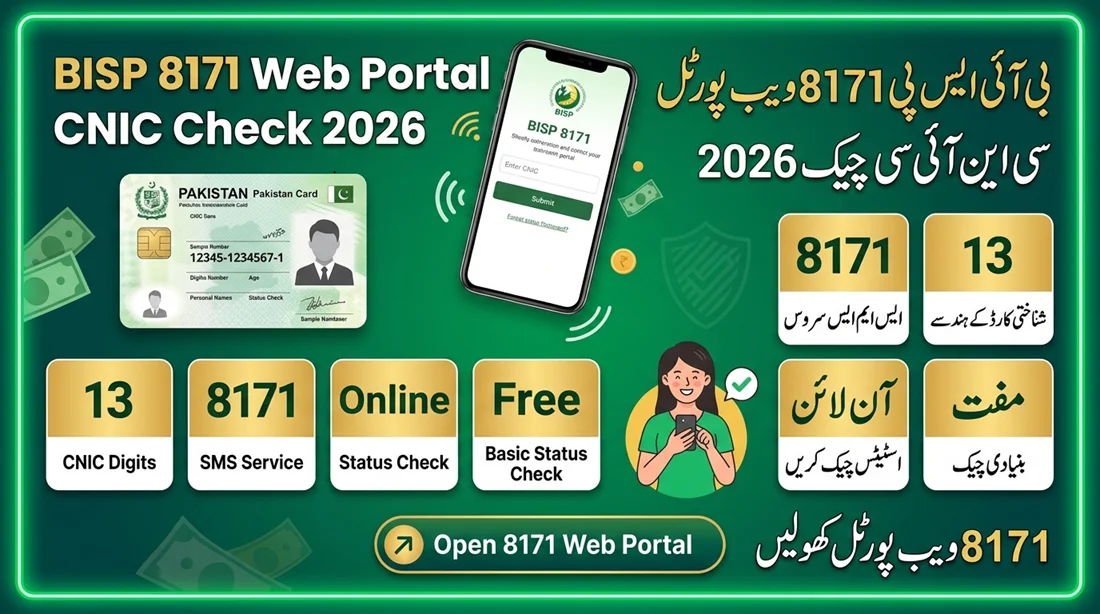
The BISP 8171 Web Portal CNIC Check provides an online way for eligible families to review information related to their BISP record. By entering a valid CNIC number, applicants can check the status available against their identity record.
This guide explains how the 8171 CNIC check works, what information you may see, what to do when a result is unavailable, and how to avoid common mistakes. For a detailed guide, visit our BISP 8171 Web Portal guide .
What Is the BISP 8171 Web Portal?
The BISP 8171 Web Portal is an online facility associated with the Benazir Income Support Programme. It allows people to check information connected with their CNIC without visiting a BISP office simply to ask about their current status.
The portal is particularly useful for people who want to know whether their record has an available eligibility or payment-related status. You can also read our 8171 Web Portal guide for more information about portal access and CNIC verification.
How to Check BISP 8171 Status by CNIC
You can follow these simple steps to check the information available for your CNIC:
Open the 8171 Portal
Use a mobile phone or computer with internet access and open the official 8171 web service.
Enter Your CNIC
Type your complete 13-digit CNIC number into the required field.
Complete Verification
If a captcha or verification field appears, enter the requested information carefully.
Submit Your Information
Submit the form and wait for the system to process your request.
Read the Result
Review the status displayed for the CNIC and follow any instructions provided.
Correct CNIC Format for 8171 Check
Your CNIC contains 13 digits. Before submitting the form, carefully check the number printed on your identity document.
1234512345671
Use your own CNIC number instead of the example above. Do not use another person’s identity number.
What Can You Check Through 8171?
Depending on the information available in the BISP system, the portal may provide status information related to your record.
-
Eligibility information — See whether an eligibility result is available.
اہلیت کی معلومات — دیکھیں کہ آپ کے لیے اہلیت کا نتیجہ دستیاب ہے یا نہیں۔
-
Registration information — Check available information about your BISP record.
رجسٹریشن کی معلومات — اپنے بی آئی ایس پی ریکارڈ سے متعلق دستیاب معلومات چیک کریں۔
-
Payment information — Review payment-related information when available.
ادائیگی کی معلومات — دستیاب ہونے کی صورت میں ادائیگی سے متعلق معلومات دیکھیں۔
-
Further instructions — Some results may tell you what action should be taken next.
مزید ہدایات — بعض نتائج میں اگلے مرحلے کے بارے میں ہدایات دی جا سکتی ہیں۔
Common 8171 CNIC Check Results
| Status | What It May Mean |
|---|---|
| Eligible | Your record may meet the relevant eligibility criteria shown by the system. |
| Payment Information Available | Payment-related information may be available for your record. |
| Under Verification | Your information may still require verification or processing. |
| Record Not Found | The system could not find matching information for the submitted CNIC. |
| Visit BISP Office | You may need further assistance or record verification through BISP. |
What If 8171 Shows No Record?
A missing result does not necessarily mean that you are permanently ineligible. First, make sure that the CNIC was entered correctly.
If the number is correct and the same message continues to appear, your record may require verification, updating, or further processing.
8171 CNIC Check Through SMS
People who cannot conveniently access the web portal may also use the BISP 8171 SMS facility according to the current official procedure.
Use the mobile number and CNIC information as instructed by BISP. Always verify the current procedure through official BISP sources because service instructions can change.
Can I Check BISP 8171 on Mobile?
Yes. A smartphone with an internet connection can be used to access the 8171 web service through a browser. Make sure you are using the correct official service and not an imitation website.
Stay Safe When Checking Your CNIC
- Never share your ATM PIN with anyone.
- Do not provide your bank password to an unknown person.
- Be careful with websites promising guaranteed BISP payments.
- Do not pay someone to “unlock” your 8171 result.
- Use official BISP communication channels for sensitive issues.
Frequently Asked Questions
How can I check BISP 8171 by CNIC?
Enter your 13-digit CNIC on the 8171 web service, complete the displayed verification, and submit the request to view the available result.
Is the BISP 8171 CNIC check free?
You should not have to pay an unofficial person to check your basic 8171 status. Be cautious of anyone demanding money for a status check.
Why is my CNIC not showing a result?
Check the CNIC digits first. If the number is correct, the record may require additional verification or processing.
Can I check 8171 status from my phone?
Yes. You can use a smartphone browser with an internet connection to access the web service.
Does checking 8171 guarantee BISP payment?
No. A status check only displays the information available in the system. Payment depends on the applicable eligibility and programme conditions.
Check Your BISP 8171 Status
Have your 13-digit CNIC ready and use the official 8171 service to check the information available for your record.
Open 8171 Web Portal